Guest suites
Take bookings for overnight stays with a deposit if you want one and the rules guests agree to. Your calendar shows every night that is taken.
Rules you can set for this space
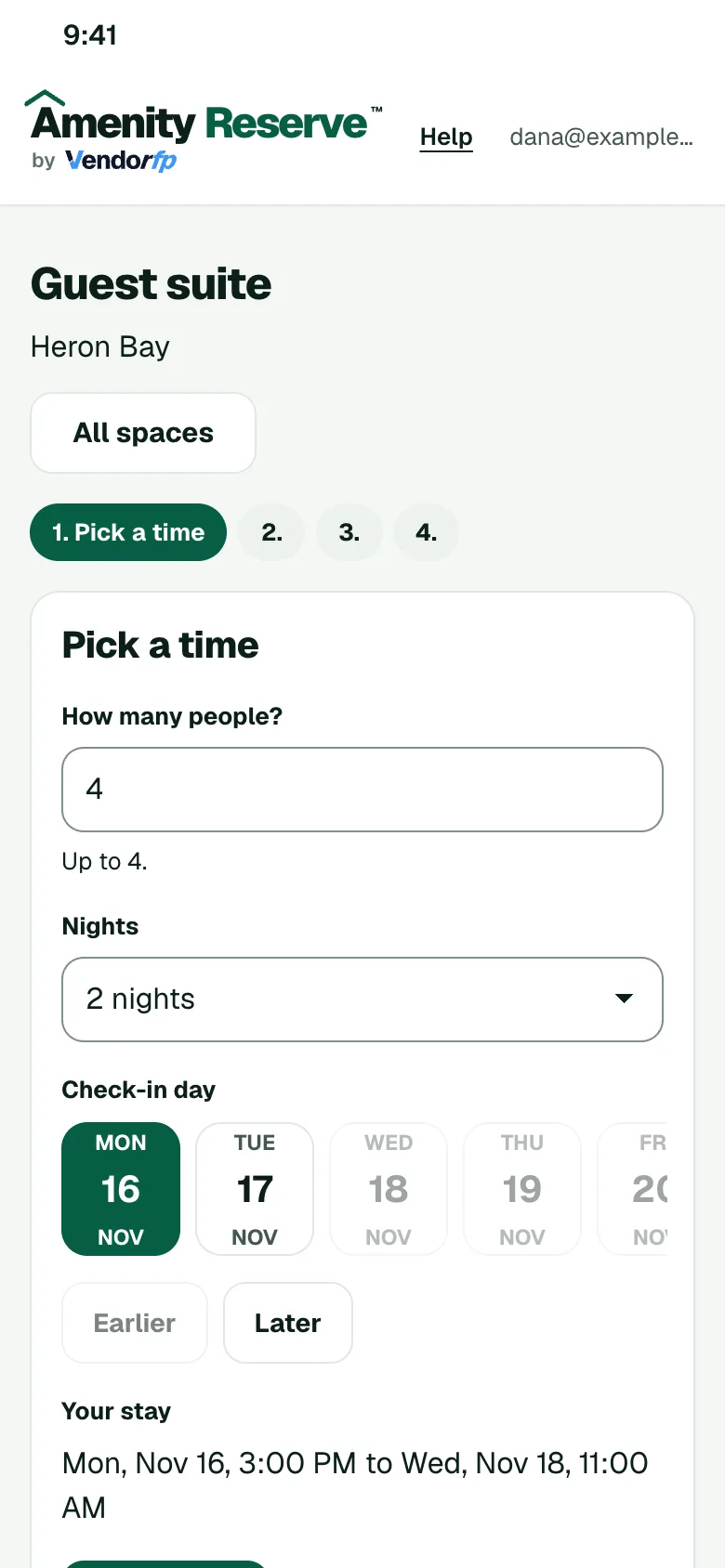
- NightsSet check-in and check-out times and the fewest and most nights a stay can last.
- ApprovalHave an admin approve each stay before it confirms.
- Guest limitCap how many people can stay.
- DepositAsk for a deposit on Amenity Gold and above. Your office collects it, and you record its return in the dashboard. Apartment communities do not take deposits.
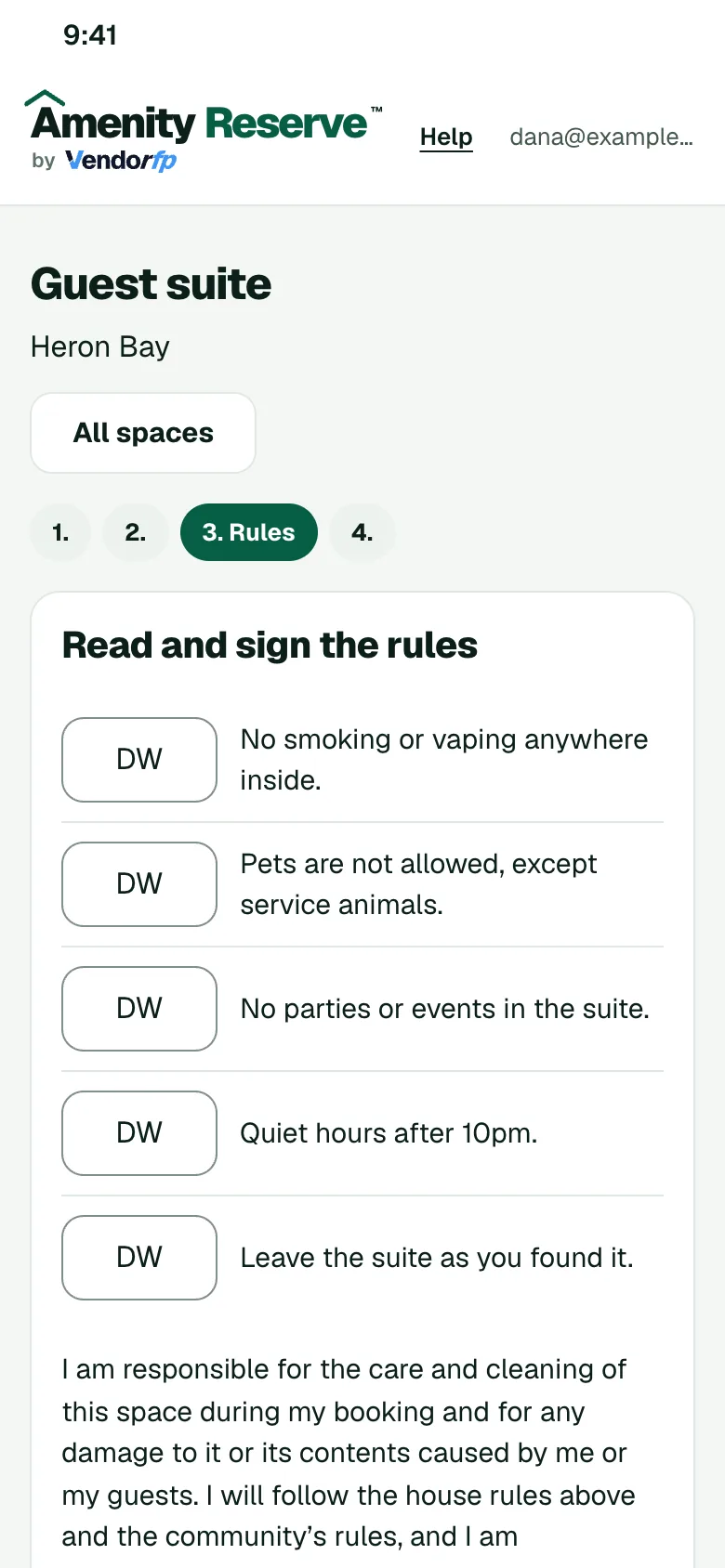
- Signed rulesGuests agree to your rules before the stay is requested.
How a booking works
- The member opens your booking page on their phone and picks a check-in day and a number of nights that are open.
- They read your rules for the space and sign them.
- If you ask to approve requests, an admin says yes or no. Otherwise the booking confirms.
- The member gets a calendar invite.
Other spaces to set up
- Clubhouses and event roomsSet the hours, the guest limit, the cleaning time between events and who may book.
- Banquet and event roomsRent a banquet room for dinners, receptions and meetings, with your hours, a guest limit and a deposit if you want one.
- Rooftop decksSet evening hours and a guest limit for the deck.